
 Anonymiteter
 NotifyPartners


Har du sendt beskeder til nogen, og pludselig er du holdt op med at få svar på iMessage? Hvis det er tilfældet, kan dit første gæt være, at de har blokeret dig. Men hvordan ved du det med sikkerhed?
Selvom Apple ikke direkte underretter brugerne, når de er blokeret, er der flere spor, der kan hjælpe dig med at finde ud af det.
I denne guide forklarer vi, hvordan du kan vide, om nogen har blokeret dig på iMessage, almindelige advarselstegn at være opmærksom på, og alternative måder at kontakte nogen på, når iMessage ikke fungerer.
Sådan ved du, om du er blokeret i iMessage
Der er ingen garanteret måde at vide, hvornår nogen blokerer dig på iMessage. Alt du behøver at gøre er dog at se på et par indikatorer, og så kan du måske se det.
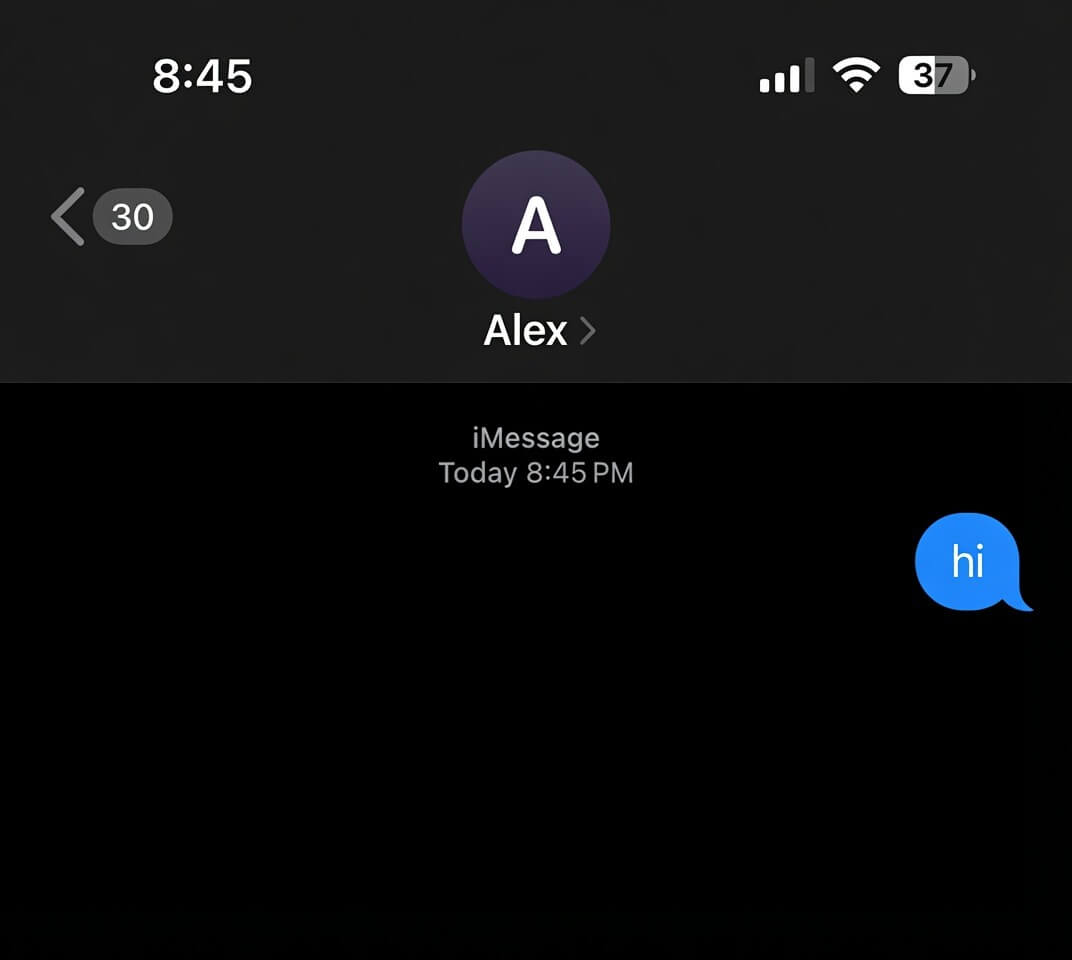
Tjek om din besked viser "Leveret"“
Du kan nemt find ud af om du er blevet blokeret på iMessage – ved at tjekke din beskedleveringsstatus.
Normalt viser iMessages et "“Leveret”"-mærkatet under beskeden, når den når modtagerens enhed. Hvis denne status pludselig forsvinder for flere beskeder – over flere dage – kan det betyde, at du er blevet blokeret.
Imidlertid er “Leveret”"Beskeden vises muligvis ikke på grund af netværksproblemer, en slukket enhed eller deaktiveret iMessage.
Kontroller beskedboblefarve (blå vs. grøn)
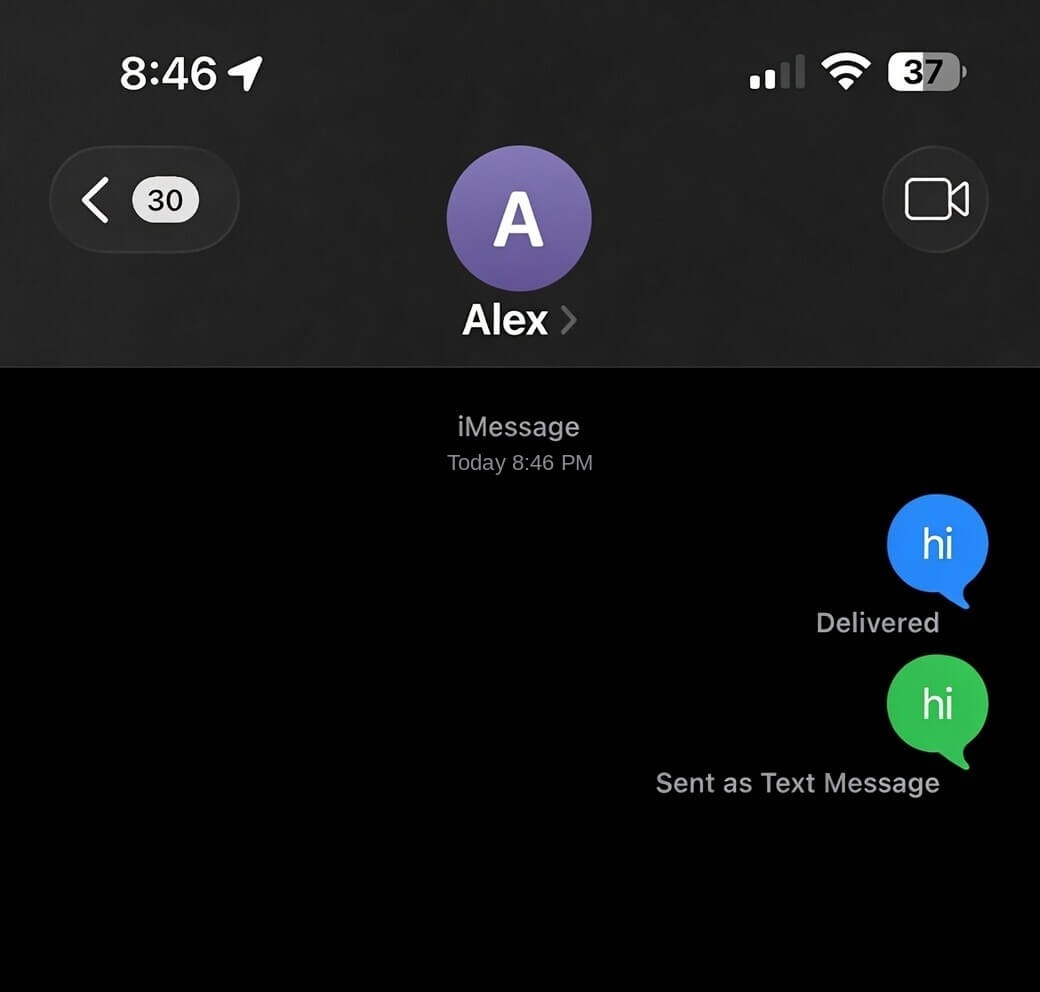
Blå bobler er standarden for iMessage, men nogle gange kan du få grønne bobler efter at have sendt en besked.
Hvis du får en grøn boble, kan det betyde, at du er blevet blokeret. Dette alene bør dog ikke betragtes som bevis. Du kan også opleve en grøn boble, hvis modtageren har slukket iMessage, skiftet enhed, mistet internetadgang eller midlertidigt er utilgængelig.
Ring til personen
Du kan også få yderligere spor om din status fra et enkelt opkald. Hvis alle opkald, du foretager, straks går ind i telefonsvareren efter én ringning eller slet ingen ringninger, er dit nummer muligvis allerede blokeret.
Det kan også være, at modtageren har aktiveret Forstyr ikke, befinder sig i et område med dårlig modtagelse – eller simpelthen afviser dine opkald. På grund af disse muligheder kan et opkald alene ikke bekræfte, om du er blevet blokeret.
Prøv at nå dem via FaceTime
FaceTime opfører sig på samme måde som iMessage, når dit nummer er blevet blokeret af modtageren. Prøv at starte et FaceTime-opkald til personen.
- Hvis den ringer og opretter forbindelse eller går til en notifikation om et ubesvaret opkald, er du sandsynligvis ikke blokeret.
- Hvis FaceTime fejler med det samme eller viser en forbindelsesfejl hver gang, er det et andet tegn, du skal overveje.
Ligesom iMessage går FaceTime-opkald til en modtager, der har blokeret dig, ikke igennem. Faktisk vil de ikke se en ubesvaret FaceTime-notifikation.
Tjek status for læsekvittering
I nogle tilfælde kan læsekvitteringer også give spor til, om nogen har blokeret dig på iMessage eller ej.
Hvis en person tidligere havde aktiveret læsekvitteringer, og du kunne se, hvornår beskeder blev læst, men nu kun ser sendte beskeder uden opdateringer, er det et tegn på, at du muligvis er blevet blokeret.
Det er dog muligt, at modtageren har deaktiveret læsekvitteringer på sin iPhone. Derfor er fraværet af læsekvitteringer ikke tilstrækkeligt bevis på, at du er blevet blokeret af dem.
Kan du med sikkerhed vide, om nogen har blokeret dig på iMessage?
For at være ærlig, er der ingen enkelt måde at vide med sikkerhed, om du er blevet blokeret af nogen på iMessage, fordi Apple strengt beskytter brugernes privatliv.
Flere situationer kan efterligne de samme tegn på, at du er blevet blokeret, herunder:
- Fokustilstand eller Forstyr ikkeFokusindstillinger kan muligvis slå notifikationer fra og forsinke svar. Det betyder, at personen muligvis simpelthen ikke er tilgængelig.
- Netværks- eller enhedsproblemerForskellen på en blokeret og en død telefon i iMessage er svær at se. Dårlig forbindelse, serverproblemer – og enhedsfejl kan medføre, at beskeder ikke viser "Leveret".
- SMS- og enhedsændringerModtageren har muligvis skiftet fra iPhone til Android eller midlertidigt deaktiveret iMessage.
Hvad hvis iMessage ikke længere virker?
Hvis du ikke længere kan kommunikere via iMessage, især efter du er blevet blokeret, er der nogle muligheder, du kan undersøge:
- Sociale medieplatforme
- Sekundære telefonnumre
- Webbaserede SMS-tjenester
Send en privat besked uden iMessage
Anonsms er en online platform til afsendelse af anonyme tekstbeskeder verden over og kræver ikke download af en app eller installation af software – i modsætning til traditionelle beskedtjenester.
Du kan bruge Anonsms til at sende private beskeder diskret, kontakte nogen uden at afsløre deres identitet, give feedback anonymt eller kommunikere, når andre kanaler ikke er tilgængelige.
Udover anonyme sms'er understøtter Anonsms flere sprog, hvilket gør det tilgængeligt for brugere fra forskellige lande. Da det fungerer udelukkende online, er det hurtigt og ligetil at komme i gang.
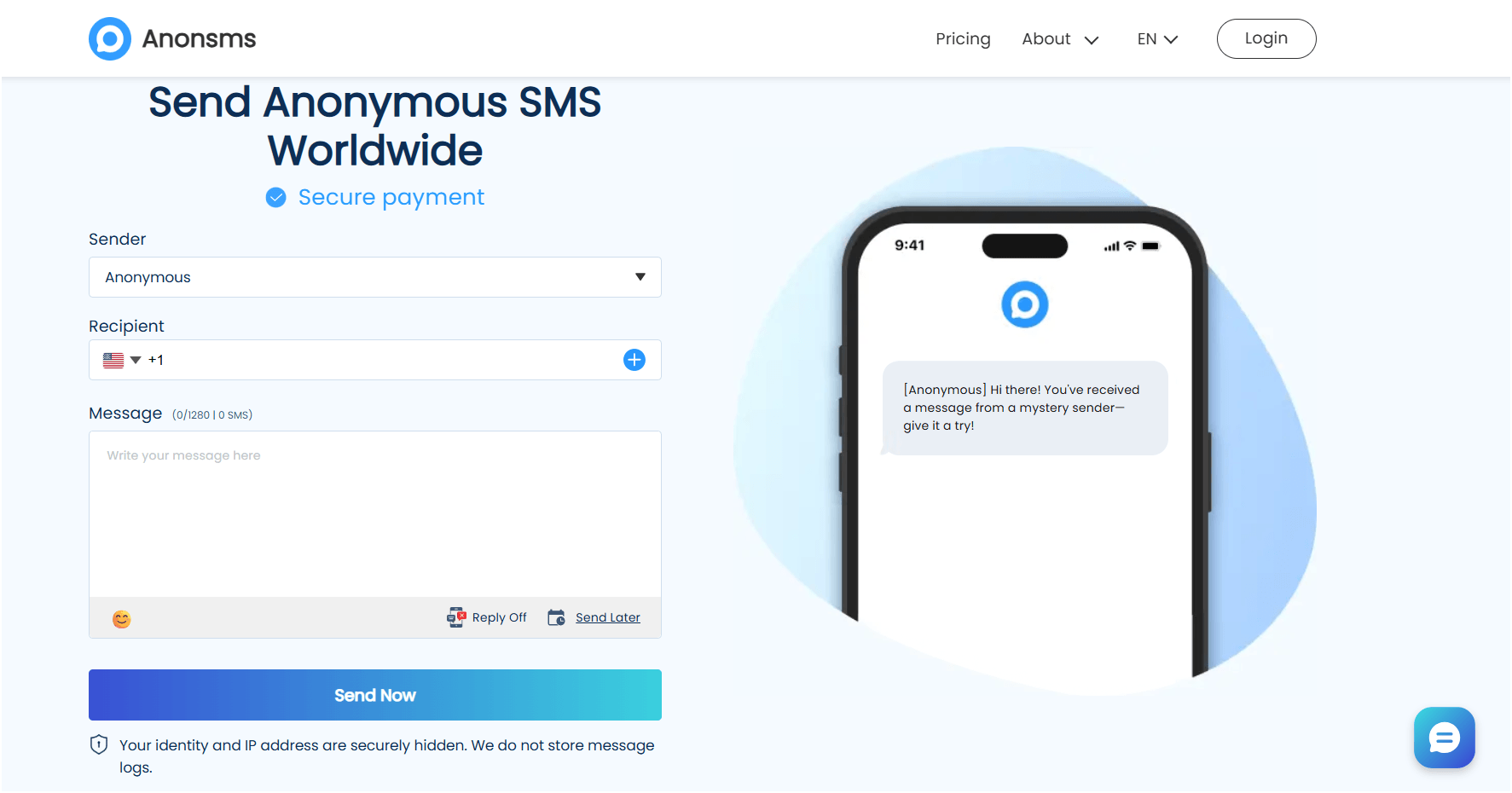
Trin 1Besøg Anonsms.com
Trin 2Indtast landekoden for din modtager og deres telefonnummer
Trin 3Skriv din besked, og klik på “Send nu"
Ofte stillede spørgsmål
Tjek svar på almindelige spørgsmål, som mange brugere har, når de prøver at finde ud af, om nogen har blokeret dem på iMessage.
Vil beskeder leveres, hvis de blokeres?
Generelt nej. Hvis du er blokeret på iMessage, vil dine beskeder ikke vise et "“Leveret”"-status. Dette kan dog også skyldes netværksproblemer, enhedsproblemer eller deaktiverede iMessage-tjenester.
Hvad betyder det, når iMessage ikke siger leveret?
Der er flere mulige årsager. Modtageren har muligvis ingen internetforbindelse, deres telefon er muligvis slukket, iMessage er muligvis deaktiveret, eller dit nummer er muligvis blevet blokeret.
Hvis du blokerer nogen på iMessage, vil de så vide det?
Nej. Apple giver ikke brugerne besked, når de er blokeret. Den blokerede person kan muligvis bemærke indirekte tegn, men de vil ikke modtage en bekræftelse på, at de er blevet blokeret.
Hvis jeg er blokeret, vil der så stå 'leveret'?
Normalt viser blokerede iMessages ikke "“Leveret."Dette alene er dog ufyldestgørende, fordi andre tekniske faktorer kan give det samme resultat.
Hvad sker der, hvis jeg blokerer nogen på iMessage?
Den blokerede kontakt kan stadig sende beskeder fra sin enhed, men disse beskeder når ikke frem til dig. Opkald, FaceTime-anmodninger og iMessages fra den pågældende kontakt er generelt begrænset.
Hvis mine beskeder er grønne, er jeg så blokeret?
Ikke nødvendigvis. Grønne beskeder angiver SMS i stedet for iMessage. Dette kan ske på grund af ændringer i enheden, internetproblemer, deaktiveret iMessage eller andre tekniske årsager.
Vil sms'en vise "leveret", hvis jeg er blokeret på iPhone?
I de fleste tilfælde nej. En blokeret besked modtager typisk ikke en "Leveret"-bekræftelse. Leveringsfejl kan dog forekomme af flere ikke-blokerende årsager.
Hvordan tjekker man blokerede beskeder?
På din egen iPhone kan du gennemgå blokerede kontakter i Indstillinger under Telefon, Beskeder eller FaceTime. Du kan dog ikke direkte se beskeder fra en kontakt, som du allerede har blokeret i iMessage.
Hvorfor skiftede mine beskeder fra blå til grøn?
Det betyder normalt, at iMessage ikke længere bruges til den pågældende samtale. Modtageren kan have skiftet til Android, slået iMessage fra eller mistet internetadgangen. Det kan også ske, hvis du er blevet blokeret – din telefon vender automatisk tilbage til SMS.
Hvad er forskellen på en blokeret og en død telefonbesked?
En blokeret kontakt forhindrer generelt levering af beskeder på ubestemt tid. En død telefon kan midlertidigt stoppe leveringer, indtil enheden genopretter forbindelsen til netværket. Symptomerne kan ligne hinanden, hvilket gør det vanskeligt at skelne mellem dem.
Relaterede artikler:
Hvordan skriver man en sms til en person, der har blokeret dig? [4 metoder, du ikke må gå glip af]
 Danish
  English
  German
  Spanish
  Italian
  Turkish
  French
  Russian
  Portuguese
  Czech
Czech  Finnish