
 Anonsms
 NotifyPartners


Instagram is one of the best social media platforms for connecting with friends, family, colleagues, and even strangers from around the world. However, not every connection remains positive forever. Someone may block you because of differences in perspective or simply because they want to limit who can contact them. Sometimes though, it can be uncertain whether they really blocked you or simply deactivated/deleted their account.
Do not worry. We are here to clear that uncertainty. In this post, we will explain how to know if someone blocked you on Instagram. There are 9 evident signs you will notice. We will also explore alternative ways to text them.
Method 1: Search for Their Profile on the App
The very first thing to do when you want to confirm if you’ve been blocked on IG is to search for the person’s profile in the app’s search bar.
Open your Instagram app and tap the search icon. Type the person’s username into the search bar and check through the results. If their account doesn’t show up at all, it’s a strong indication that you’ve been blocked.
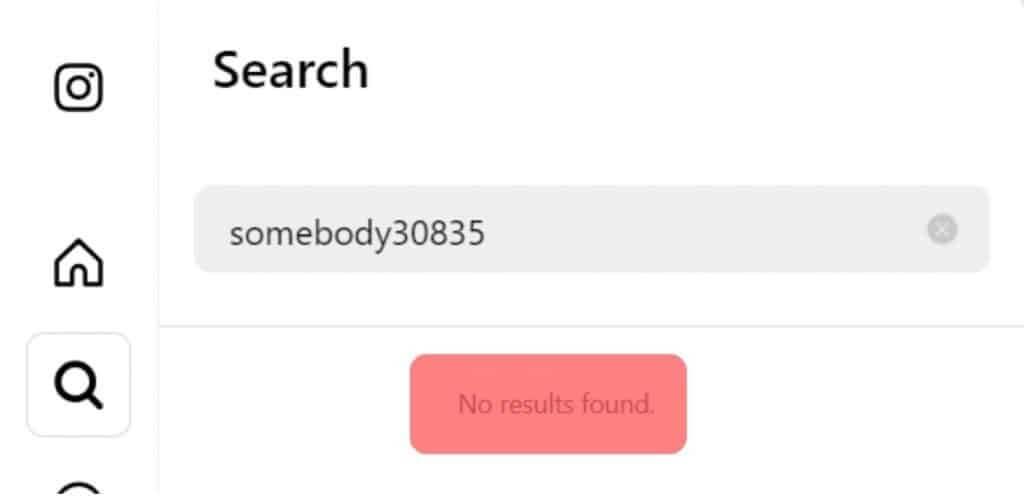
Disclaimer: You can’t be outrightly correct just from this method. It’s possible that the person has changed their username, temporarily disabled their account, or even deleted it altogether. Thus, you need to consider other methods discussed below.
Method 2: Search for Their Profile in a Browser
Another useful method for how to know if someone has blocked you on Instagram is a web search. The link to everyone’s IG profile is: Instagram.com/username. If you know the actual handle of the person you’re looking for, enter it instead of “username.”
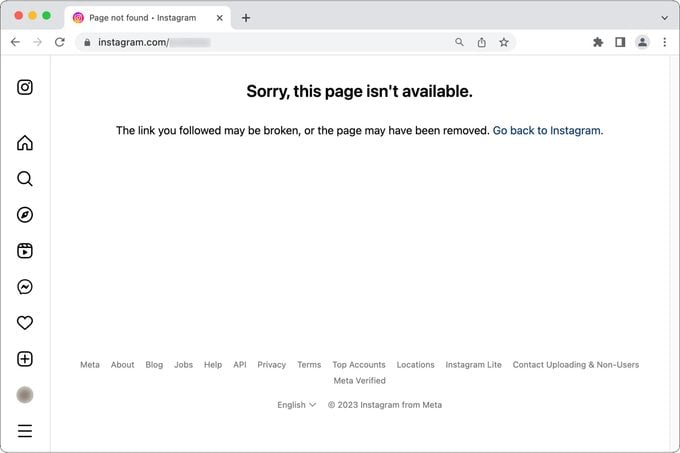
When doing this, make sure you’re not logged into your account. If your browser logs into your account, you’ll see an error message that says: Sorry, this page isn’t available. This means that you’ve been blocked.
Meanwhile, it’s possible that the person’s account was deleted or deactivated. To confirm, log out of your account or conduct the search on an incognito tab. If the person’s profile shows, it means your account has been blocked.
Method 3: Check Your DM
Direct Messages is an incredible feature that can reveal whether you’re blocked or not. Go to your Instagram messages and find your chats with the person. Even after a block, IG doesn’t remove chat history, so be rest assured that you will still locate your previous conversation.
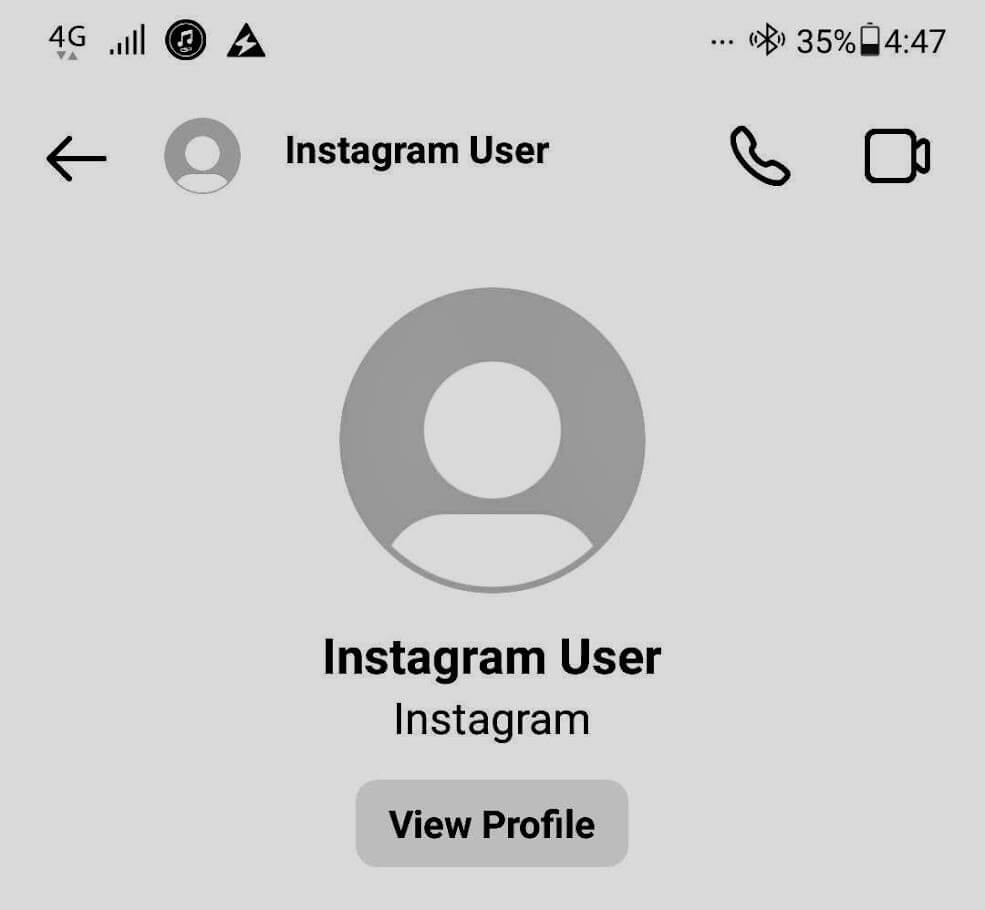
Open the chat and try tapping on their profile name. If their profile doesn’t load or it displays an error message, that could mean you’ve been blocked.
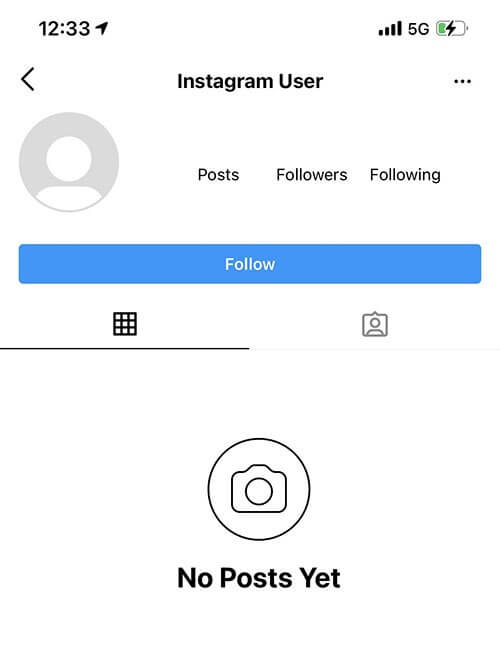
You may also notice that their profile picture disappears or that their username changed from what it was. It could now be “Instagram User.”
To be super-sure, try sending them a message. One of the signs to know if someone blocked you is that there won’t be an indication under your message that it’s been “Delivered” or “Seen.” If your message is not marked as “Delivered” or “Seen” after a few weeks, you’ve most likely been blocked.
Method 4: Check for Their Previous Engagements on Your Posts
A person’s previous interactions with your content can also provide useful evidence. Look through your older posts where the person liked or commented. If their engagements suddenly disappear or their username becomes unavailable when you tap on it, have it at the back of your mind that they may have blocked you.
Meanwhile, remember that people can manually delete comments or remove likes from posts. Therefore, disappearing engagement alone isn’t enough proof. It only becomes substantial when combined with other signs.
Method 5: You Can’t See Their Posts or Stories Anymore
If you regularly see someone’s updates and stories, but now you don’t see any activity from them, you may start to suspect that you’ve been blocked.
Mind you, there are other explanations to this. It could be that the user has been inactive or they’ve exempted you from seeing their posts.
But if you check their profile and you see “No Posts Yet,” it’s a strong sign that you’ve been blocked.
Method 6: You Can’t Tag Them
If someone blocks you on IG, you won’t be able to tag them in your posts, stories, or comments.
When creating a post, story, or writing a comment, try tagging the person’s username. Normally, Instagram will suggest matching accounts as you type. If their username no longer appears in suggestions, despite you entering it correctly, this could indicate that they’ve blocked you.
Keep in mind that they may have changed their username. Thus, it’s worth double-checking that you’re tagging the correct handle.
NOTE: Instagram allows you to tag a maximum of 20 people at once. So not being able to tag someone may be because you’ve exceeded the limit. Also, you can’t tag them if their privacy settings don’t permit it.
Method 7: You Can’t Find Them in Your Followers or Following List
In cases where you and the person are following each other, checking your “followers” and “following” lists is another reliable solution on how to know if someone blocked you on Instagram message.
Go to your profile and search for their username within your followers and following sections. If you can’t find their account in both lists, there are several explanations. They might have unfollowed you, deleted their account, or blocked you.
The key is to compare this observation with other signs. For example, if you can’t find their profile in search results, can’t access it through messages, and can’t locate them in your follower lists, the possibility of a block becomes much stronger.
Method 8: Try Following Them Again
If you can still locate their profile in some way, try following them again. Sometimes people who block you may still appear in your search results or you might be able to access their profile from your old chat.
Tap on the “Follow” button. If you’ve been blocked, Instagram won’t let the request be successful.
Method 9: Verify Through Another Instagram Account
This is often the most reliable method for how to know if someone blocked you on Instagram. Use another Instagram account that is not connected to your primary account. If you don’t have a second account, you can ask a trusted friend to perform the search.
Search for the person’s username from the alternate account. If their profile appears normally there but remains inaccessible from your own account, it’s a strong indication that you’ve been blocked.
Check if the other account can view the profile, posts, follower count, and other public information that you can’t see on your account.
How to Text Someone Who Blocked You on Instagram?
Ordinarily, the advice will be that you respect the boundary of whoever blocks you. But there are some cases where you need to pass important information or ask anonymous questions on Instagram to build up communication and squash whatever beef is going on.
Here are the things you can do:
Use Another Instagram Account
If you don’t have another instagram account, you can create a new one or use a trusted friend’s account. Search for the person’s profile, hit the “Follow” button, and send a direct message. Avoid pretending to be someone else, as this can damage trust if the person discovers your identity later.
Some people enable privacy settings that limit who can send them messages, so this method may not always work.
Contact Them Through Other Social Media Platforms
Many Instagram users also have accounts on Facebook, WhatsApp, Telegram, X, Snapchat, or LinkedIn. Some people attach their usernames on other social media platforms on their Instagram bio. Find them and send a simple message; don’t bombard them.
If the person doesn’t respond or blocks you on those platforms as well, it’s generally best to respect their decision and avoid further attempts to contact them.
Send Them an Email
Many Instagram users, especially content creators, entrepreneurs, professionals, and brands, list an email address in their bio or provide one through Instagram’s contact options. Shoot them an email and be hopeful that you will get a response.
You can learn how to send an anonymous email if you want them to consider reading what you wrote and not delete at the sight of your name.
Send Anonymous Text Online
The most viable option in most cases is to use a reputable online anonymous texting service like Anonsms. This anonymous texting service allows you to send messages without revealing your identity. All you need is the person’s phone number, which you can get from their Instagram bio.
However, it should be used responsibly. Sending repeated messages, impersonating someone else, or using anonymous texting to harass another person is unethical.
Conclusion
How to know if someone blocked you on Instagram isn’t difficult at all. There are usually visible signs as explained in the article above; you just need to pay attention.
Note that no single method provides absolute proof on its own. But when several signs appear together, it’s usually a strong indication that the person has blocked your account.
Common Questions
- Will Instagram notify me if someone blocks me?
No. Instagram does not send notifications when someone blocks you. You’ll only notice signs such as being unable to find their profile, view their content, or send them messages.
- Is being restricted the same as being blocked on Instagram?
No, they are not. If you’re restricted, you can still view the person’s profile and content. What a restriction basically does is to limit your interaction with the person.
- If I change my username, can I see someone who blocked me?
No. Changing your username does not mean you can see who blocked you. Instagram blocks are tied to your account, not your username.
- How to know if someone blocked me on Instagram story?
How to know if someone blocked you on Instagram story becomes clear when you stop seeing the story updates. This becomes more certain when you confirm from mutual friends that the person constantly posts on their story.
Related articles:
How to Do Anonymous Questions on Instagram? [Simple Ways]

 English
  German
  Spanish
  Italian
  Turkish
  French
  Russian
  Portuguese
  Czech
Czech  Finnish
  Danish