
 Anonsms
 NotifyPartners


We live in an age where personal information can be exposed more easily than ever, making privacy a growing concern for many people. One simple way to protect yourself is by blocking your phone number from appearing when you call or text, especially if the call or message is to a stranger or a business enterprise you don’t completely trust.The good news is that hiding your number is easier than most people think. Join us as we explore the top 5 solutions on how to block your number.
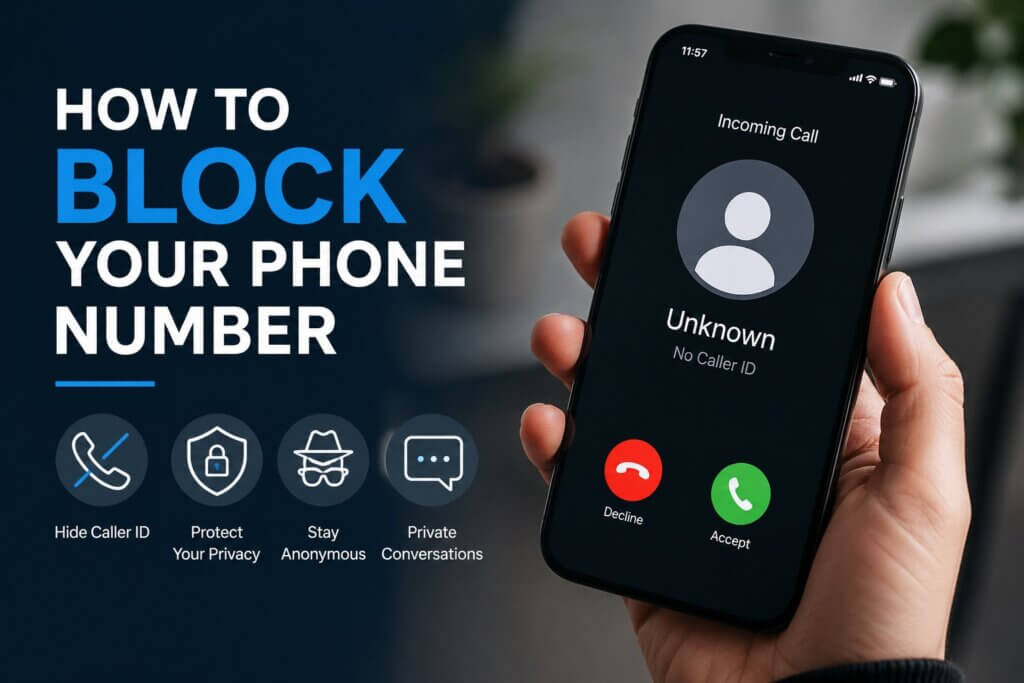
Method 1: Dial *67 to Hide Your Number
If you just need privacy for one call, *67 is the solution for you. This method is useful when you only want to hide your caller ID occasionally without making any further changes to your phone settings.
Steps:
- Open your phone’s dialer app.
- Type *67 before the phone number. For example, *67 555-123-4567.
- Press the call button. Instead of your real phone number, the recipient will see “No Caller ID,” “Private Number,” or “Unknown Caller.”
Does *67 Still Work?
Yes, *67 still works but avoid using it wrongly. It’s primarily effective in the United States and Canada. You can use it on almost every phone, be it iPhone, Android, or landline.
The only cases where the code doesn’t work is when you’re calling emergency (like 911) or toll-free (like 800) services. Also, some persons/businesses automatically block calls from hidden numbers.
Can a *67 Call be Traced?
Yes. While *67 hides your number from the person you’re calling, it does not make you completely anonymous. Mobile carriers still have records of the call, and law enforcement agencies can access this information through proper legal procedures when necessary.
Your phone number is only hidden from the person you’re calling.
Caller ID Blocking Codes in Different Regions
Here’s a list of the unique codes you can use to mask your phone number when you call in other countries:
| Country | Code |
| United Kingdom | 141 |
| Ireland | 141 |
| Australia | #31# |
| New Zealand | *67 (Vodafone)0197 (Spark) |
| Hong Kong | 133 |
| Japan | 184 |
| Mexico | *67 |
| Netherlands | #31# or *31* |
| Portugal | #31# or *31# |
| Other countries | #31# |
Method 2: Make Your Number Private in Phone Settings
If you’re looking for a permanent way to hide your number, this is it. Unlike *67 which you have to dial every time you want to make a call, this method allows you to permanently block people from seeing your phone number.
NOTE: Some carriers disable this feature, so you may need to contact your provider if you don’t see it.
Hide Caller ID on iPhone
Here’s how to block your number on iPhone:
- Open the Settings app.
- Scroll down to select Apps and then click on Phone.
- Select Show My Caller ID and turn it off.
Hide Caller ID on Android
Here’s how to block your number on Android:
- Open the Phone app.
- Tap the three-dot or Menu icon.
- Select Settings or Call Settings.
- Click on Additional Settings or Supplementary Services.
- Tap Caller ID.
- Select Hide Number or Never.
The exact wording varies depending on your Android device and carrier, hence why we have 2 options in some steps. But not to worry, the wordings are pretty similar across every Android device.
Method 3: Let Your Carrier Set Up Permanent Blocking
If you’re looking for how to block your number without constantly dialing *67 before every call or changing your phone settings, you can ask your mobile carrier for permanent blocking. This automatically hides your number for every outgoing call.
Steps:
- Contact your mobile carrier’s customer support team.
- Request permanent caller ID blocking.
- Test the service by calling a friend or another phone.
The good thing is that you can still override the permanent blocking when needed. Just dial *82 before the phone number. It’s basically the opposite of *67.
Method 4: Use a Second Number for Better Privacy
While the methods for how to block your number when calling are effective, they are unreliable in casual situations like online transactions, dating apps, or when you don’t want someone to have full access to you.
The perfect solution is to use a second number that allows you to communicate with the recipient, but without access to your personal number.
Popular apps to get a second number that’s not fully tied to you are: Hushed, Google Voice, and Burner.
Steps:
- Download the app.
- Pick a number.
- You can start using the number in situations where you want to maintain your privacy.
Method 5: Consider Sending Anonymous Texts Instead
You don’t always have to bother about how to block your number. If your goal is simply to communicate without revealing your identity, anonymous text messaging may be a more convenient solution.
There are several anonymous texting services on the market, with Anonsms standing out as the best option.
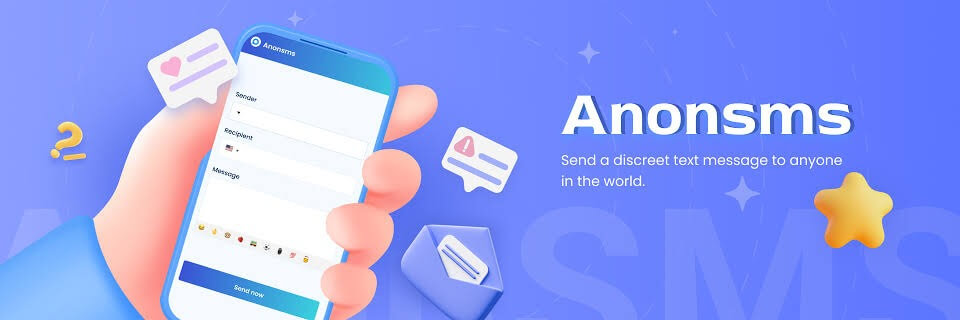
Anonsms is a web-based platform that allows you to send private messages to any number in the world without dialing *67 or going through any hassle.
Unlike other methods that require that you register with your personal details (such as phone number or email address), Anonsms doesn’t demand for any of your information. It offers 100% privacy, ensuring that no one knows who you are or the location you’re texting from. However, it should not be used for harassment, fraud, threats, or any activity that violates legal or ethical laws.
Steps:
- Go to Anonsms website and enter the recipient’s phone number.
- Type your message.
- Click Send Now and make a one-time payment. Your message will be delivered instantly.
Conclusion
How to block your number is easier than many people realize. Whether you use *67, adjust your phone settings, request carrier-level blocking, use a secondary number, or send anonymous texts through services like Anonsms, be rest assured that your identity is secure.
Choose the method that best fits your communication needs. Above all, ensure responsible and lawful use.
FAQs about How to Block Your Number
Here are some commonly asked questions that will enlighten you more on how to block your number.
- What is star 67?
*67 is a unique code for hiding phone numbers in the United States or Canada. You have to dial the code each time you call, so that the recipient won’t see your phone number.
- What do people see when my number is hidden?
They typically see words like: “Private Number,” Unknown Caller,” or No Caller ID.”
- Will my number show to 911?
Yes. Emergency services like 911 can see your phone number even if you block your caller ID. This is essential for them to provide comprehensive assistance when needed.
- Can I temporarily unblock my number?
Yes. Simply dial *82 before the phone number, and the recipient will be able to see that it’s you.
- Can I make my texts private too?
Yes. You can use a second number or one of the top anonymous texting apps for private conversations. Anonsms excels at this – it keeps your texts private and secure.
Related articles:
16 Top Anonymous Texting Apps for Private Conversations (2026 Guide)
5 Reasons to Use Anonymous Texts (and How to Do It Safely)
63 Country Code: Your Guide to Texting & Calling the Philippines


 English
  German
  Spanish
  Italian
  Turkish
  French
  Russian
  Portuguese
  Czech
Czech  Finnish
  Danish